


HiMommy: Pregnancy Tracker
4.6905.00 Reviews
App Specs
- Version
- 7.98.0
- Updated On
- License
- Free
- Downloads
- 1,000,000+
- Developer
- HiMommy - Pregnancy Day By Day - Expecting Baby
- Categories
- Parenting
- Platform
- Android, iOS
Screenshots





 Analysis by AppCompare
When I started looking at HiMommy: Ovulation & Pregnancy, the first thing I noticed was how much of its value depends on entering the right starting details. A cycle estimate can feel personal, and pregnancy milestones matter, so it is worth taking a moment to check what you enter rather than treating the first screen as a formality. I like the idea of one app following the shift from cycle tracking to pregnancy, but I would use its dates and prompts as a planning aid, not as a substitute for medical advice.
Getting Started: A User-Friendly Interface
First things first, downloading the HiMommy: Ovulation & Pregnancy app is a breeze. Available on both Android and iOS, it's a quick download from the app store. Once installed, I was greeted with a clean, intuitive interface that made navigation a piece of cake. For anyone who's not tech-savvy, this app is refreshingly straightforward.
The setup process involves entering some basic information, like your last menstrual cycle and average cycle length. This data helps tailor the app to your specific needs, whether you're tracking ovulation or monitoring your pregnancy milestones. I found this feature really helpful, as it makes the app feel personalized right from the start.
Check Your Starting Details Before Relying on Dates
The main setup friction is not technical; it is remembering dates and knowing whether your usual cycle pattern is regular enough for estimates to feel useful. If you do not know the exact first day of your last period, avoid guessing and then treating a predicted fertile window as precise. I would first check a calendar or any notes you already keep, then enter the best information you have. If your cycles vary, read the app's predictions as broad guidance rather than a schedule to follow rigidly.
A useful habit is to make a small note of the assumptions behind your setup. If you later realize the date or average length was off, you can revisit the relevant settings instead of wondering why the calendar seems out of step. This is especially helpful when moving between trying to conceive and pregnancy tracking: the app can organize information, but it cannot make incomplete starting details more certain.
Tracking Ovulation: A Seamless Experience
For those trying to conceive, the ovulation tracker is a standout feature. It uses the information you provide to predict your fertile window, giving you the best chance to plan ahead. I particularly liked the calendar view, which visually displays your cycle and highlights the key days. It's like having a fertility expert in your pocket!
The app also provides daily tips and insights about ovulation and fertility, which I found both informative and reassuring. It's like having a little coach nudging you along, which can be just what you need during what can be a stressful time.
Worth Reading Before You Choose

Flipboard Shows What News Apps Must Do Beyond the Feed

Switching to Android Auto Means Rethinking Your Driving Routine

Google Calendar Makes a Crowded Week Easier to Manage

Ludo King Makes the Most of the Minutes Between Plans

Baby Panda World Brings Quick Play to Modern Phones, but Its Game Library Feels Busy

ESPN’s Live Game View Makes Following Close Games Easier
In practice, I would use the calendar to help organize conversations and plans, not to turn conception into a test with a pass-or-fail result. Predictions are only as useful as the information behind them, and bodies do not always follow a neat calendar pattern. If you are comparing a tracker with another source of guidance, the practical difference is that HiMommy brings cycle dates and daily context together, while a paper calendar or a basic notes app may be simpler but asks you to do more of the interpretation yourself.
One low-effort workflow is to review the coming days at a calm time once or twice a week rather than checking repeatedly whenever anxiety rises. That keeps the calendar useful without letting predicted dates dominate the day. If the cycle information changes, update the inputs you control and then treat later estimates as a fresh planning aid, not confirmation of a medical outcome.
Pregnancy Tracking: A Journey Together
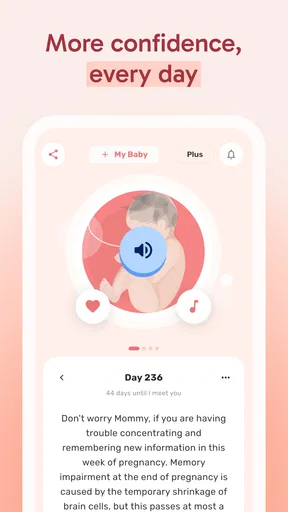
Once the good news arrives and you're expecting, the app seamlessly transitions to a pregnancy tracker. This is where HiMommy truly shines. Each week, the app updates you on the baby's development with fun facts and tips. I found myself looking forward to these updates, eager to learn what new changes were happening.
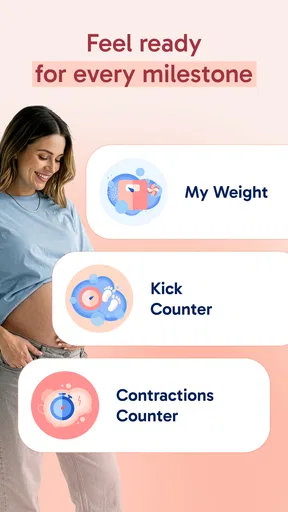
The app also offers a daily countdown to your due date, which is a lovely reminder of the exciting journey ahead. There's a section for tracking your weight and symptoms, ensuring you're keeping tabs on your health as well. It's comprehensive without being overwhelming, which is a delicate balance to strike.
To get more from those tools, I would keep symptom entries brief and factual: what you noticed and when, rather than trying to diagnose the cause inside the app. That can make the record easier to discuss at an appointment if you choose to bring it up. The countdown and weekly updates are better suited to orientation and curiosity than to answering urgent health questions, so I would contact a healthcare professional when a concern needs individual advice.
There is also a trade-off in having multiple kinds of tracking in one place. It is convenient to move from cycle information to pregnancy updates without switching between separate tools, but the app can become less useful if you try to record every detail of daily life. I would focus on the entries that help you remember patterns or prepare for a conversation, and leave out anything that starts to feel like busywork.
Making the App Fit an Ordinary Day
A realistic use case is checking the app while planning the week: glance at the cycle calendar if you are trying to conceive, or read the current pregnancy update during a quiet break. If a symptom comes up later, you can make a concise note rather than relying on memory days afterward. This kind of short check-in makes the app a companion to your routine instead of another task demanding constant attention.
For someone who prefers shared planning, the useful takeaway may be the dates and notes you can discuss with a partner, rather than expecting the other person to use the app themselves. For someone who wants detailed clinical records, however, a dedicated record-keeping method or guidance from a care provider may be a better fit. HiMommy is strongest as an accessible personal tracker, not as a medical chart.
Community and Support
One of the highlights of the HiMommy app is its thriving community feature. You can connect with other users, ask questions, and share experiences. It's like a virtual support group at your fingertips. The community is welcoming and full of users at various stages of their journey, offering advice and camaraderie.
The app also includes a helpful Q&A section where you can find answers to common questions. This proved invaluable, especially during those late-night moments of uncertainty when I needed reassurance.
I would treat community replies as peer experience, not personal medical direction. A post from someone with a similar concern can make a person feel less alone, but their circumstances may differ in important ways. When the question is about a symptom, medication, or what action to take, a qualified professional is the safer source. That distinction lets the social side offer comfort without giving it more authority than it has.
If you prefer not to share personal details, you can still get value from the tracker and its informational content without making community participation the center of your routine. On the other hand, anyone who mainly wants a private, minimal calendar may find social features unnecessary. The best experience depends on whether encouragement from other users feels supportive to you or adds noise.
Where Set-Up or Tracking Can Feel Stuck
If a date or countdown looks wrong, I would check the basic inputs before assuming the app has failed: confirm the cycle date you entered, review the average length, and make sure you are looking at the intended tracking stage. Then reopen the relevant calendar or section and see whether the displayed information reflects the correction. This is a simple way to separate an entry issue from a broader technical problem without repeatedly changing several details at once.
If the app feels confusing, return to one task at a time. For example, first make sure cycle tracking is set up as intended; later, explore pregnancy information if it becomes relevant. Trying to interpret every screen and prompt during the first session can make a straightforward app feel busier than it is. A gradual setup is easier to check and less likely to leave you unsure which information shaped a prediction.
When something does not update as expected, basic troubleshooting is sensible: close and reopen the app, check that the device has a working connection if the screen requires one, and confirm that the installed version is current for your device. HiMommy is free to download, though it offers in-app purchases; I would check the purchase details in the app before paying, especially if you only need the basic tracking routine. The app is rated for Everyone, but the subject matter is specifically useful to people dealing with cycles, fertility, or pregnancy.
What It Does Well—and Where Another Tool May Suit You
HiMommy is a parenting-focused app from HiMommy - Pregnancy Day By Day - Expecting Baby. It has a 4.5 average from around 19,000 ratings and more than a million installs, which suggests that many people have made it part of their routine. It is free to start, with in-app purchases priced from $2.99 to $29.99 per item. I would think of the paid options as optional extras to assess against your own needs, not a reason to buy before you know whether the everyday tracking suits you.
Compared with using separate cycle and pregnancy apps, the appeal here is continuity: one place can support the shift from fertility estimates to weekly pregnancy content and day-to-day tracking. A paper calendar or a phone's basic notes can be more private and less feature-heavy, but you have to calculate and organize more yourself. A dedicated medical record tool may be preferable if your priority is detailed health documentation rather than approachable reminders and general information.
The app is not the right choice for everyone. I would skip it if you want a strictly clinical tool, dislike daily prompts, or would rather keep cycle and pregnancy details off a general-purpose app. I would also avoid relying on a predicted fertile window as a guarantee, especially if cycle timing is irregular or the information entered is uncertain. In those cases, professional guidance or a method designed for your specific health needs is more appropriate.
The app has been available since November 27, 2014, and its current version is 7.78.17, with Android 8.0 or later listed as the minimum operating system. Those details may help when checking whether an older device can run it, but the main decision is simpler: do you want a friendly, combined tracker, or a more specialized and less conversational tool? HiMommy is most compelling when a person values approachable daily context over clinical depth.
Final Thoughts
In a nutshell, the HiMommy: Ovulation & Pregnancy app is a comprehensive tool designed to support you from conception through to the joyous arrival of your little one. Its ease of use, combined with its robust features, makes it a must-have for anyone on this journey.
Whether you're trying to conceive or already expecting, this app offers the guidance and community support that can make a world of difference. It's like having a digital friend who’s there for you every step of the way. So, if you're embarking on this magical journey, why not give HiMommy a try? It's there to help you every step of the way.
My practical verdict is that I would try it if I wanted cycle and pregnancy information gathered in one approachable place, and I would begin with only the details I can enter confidently. I would use its calendar and updates for orientation, keep notes selective, and turn to a healthcare professional for decisions that need personal medical judgment. That balance makes the app a useful companion without asking it to be more than a tracker and source of general support.
Pros
- User-friendly interface for easy navigation.
- Comprehensive ovulation tracking features.
- Personalized pregnancy tips and advice.
- Daily health reminders and checklists.
- Integrates well with other health apps.
Cons
- Limited free features
- requires subscription.
- Some users report occasional syncing issues.
- Ads can be intrusive in the free version.
- Lacks community support or forums.
- No offline access to some features.
FAQs for HiMommy: Pregnancy Tracker
What features does HiMommy: Ovulation & Pregnancy offer?
HiMommy: Ovulation & Pregnancy provides a comprehensive suite of features designed to guide users through their pregnancy journey. It includes ovulation tracking, personalized daily tips, and a pregnancy calendar. The app also offers nutritional advice and fetal development updates, ensuring users are well-informed every step of the way.
Is HiMommy: Ovulation & Pregnancy free to use?
HiMommy offers both free and premium versions. The free version includes basic features such as ovulation tracking and daily tips. However, to access advanced features like personalized advice and detailed pregnancy insights, users may need to subscribe to the premium version through in-app purchases.
How accurate is the ovulation tracking in HiMommy?
The ovulation tracking in HiMommy is designed to be highly accurate, using user-inputted data to predict ovulation periods. However, for best results, users should ensure they regularly update the app with accurate menstrual cycle information. While it's a useful tool, it’s always wise to consult with a healthcare professional for personalized advice.
Can HiMommy: Ovulation & Pregnancy be used by partners or family members?
Yes, HiMommy encourages partners and family members to use the app to stay informed about the pregnancy journey. By understanding the daily tips and updates, they can offer better support. The app’s insights can foster a shared experience, enhancing communication and involvement throughout the pregnancy.
Does HiMommy provide medical advice or replace doctor visits?
HiMommy is a helpful guide but it does not replace professional medical advice. The app provides general information and tips, but users should always consult healthcare professionals for any medical concerns or personalized advice. Regular doctor visits remain essential for a healthy pregnancy.


